
Evaluation Hub
Reference guide for the Evaluation Hub — viewing, managing, and launching benchmark runs.
Overview
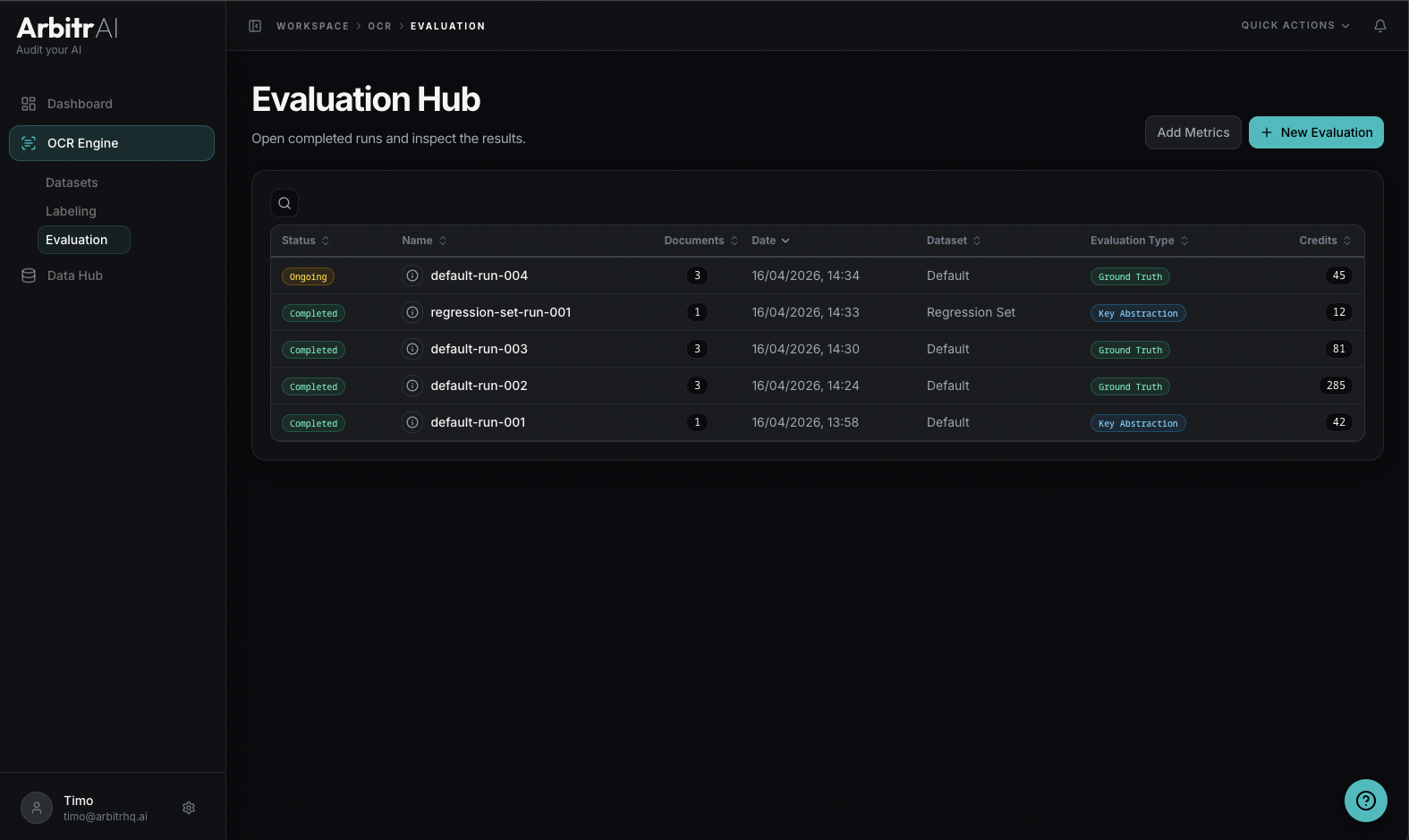
The Evaluation Hub is the Evaluation tab under the OCR section. It lists all your benchmark runs with their status, configuration, and results.
Table Columns
| Column | Description |
|---|---|
| Status | Completed or Ongoing icon |
| Run ID | Run identifier (displays document or dataset name) |
| Dataset | Which dataset was evaluated |
| Evaluation Type | Ground Truth or Key Abstraction |
| Date | When the run was created |
| Credits | Cost in evaluation tokens |
Features
- Search/ filter across status, name, ID, date, type, and credits
- Sort by any column — default is date (newest first)
- Click a row to view that run’s results
- Create new evaluation button in the top-right corner
Run Info Tooltip
Hover over a run’s info icon to see its configuration:
- Number of models
- Runs per model
- Number of documents
- Formula: models x runs x documents = total credits
Run Status
- Completed — the run has finished processing and final results are available
- Ongoing — still processing; partial/preliminary results may be visible